- DATE:
- AUTHOR:
- Product Team @ Bite
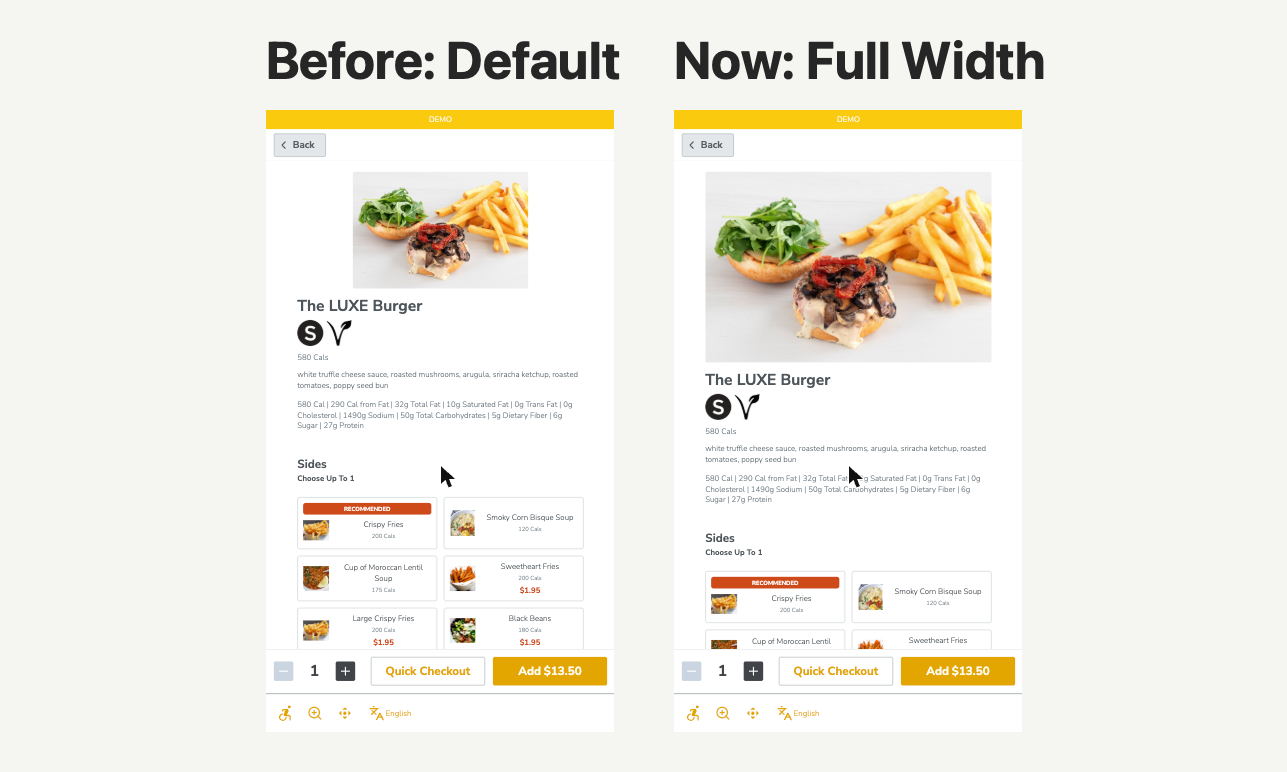
Show Larger, Uncropped Item Photos on the Kiosk
DATE:
AUTHOR:
Product Team @ Bite
Item photos can now fill the whole width of the item screen on the kiosk. The photo keeps its shape, so wide food shots show up large and uncropped, and everything below it (name, description, nutrition, options) stays the same as today.
New setting
Menu Item View Details Style › Full Width (Kiosk Settings) — A new choice next to Default and Compact. The item photo fills the width of the item screen and its height follows the photo's shape. Default stays the default. Set it once for the organization, or override it per site or location. On Vitrine kiosks.
