- DATE:
- AUTHOR:
- Product Team @ Bite
Add Your Logo to Printed Kiosk Receipts
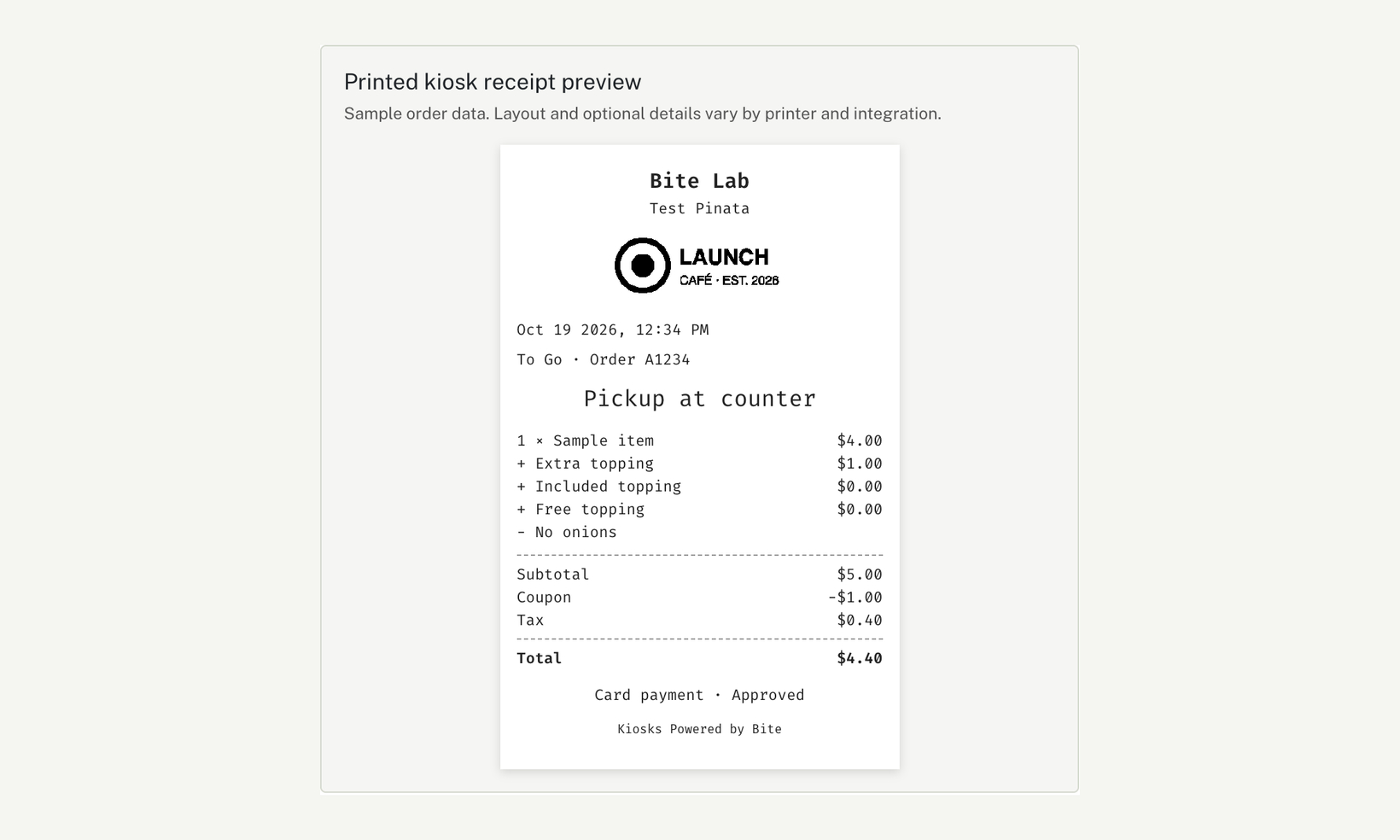
You can now print your logo on kiosk receipts, one of the most requested receipt features. Upload a header or footer image in Bite Admin › Receipt Settings, choose how wide it prints, and check it on a sample receipt before you save. The sample shows the image in black and white, the way the printer does.
New in Receipt Settings
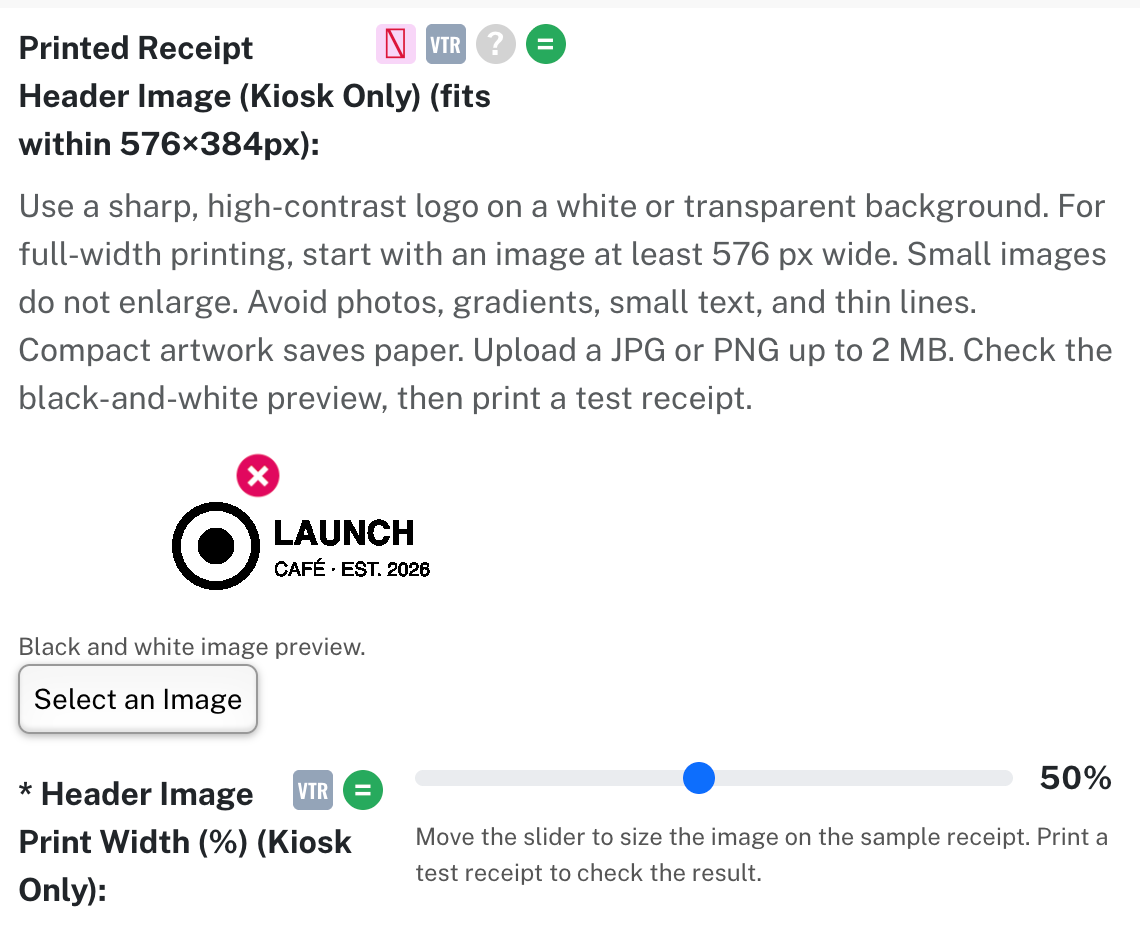
Printed Receipt Header Image and Footer Image (Kiosk Only) — Upload a JPG or PNG up to 2 MB. It fits within 576×384 pixels without cropping, and the field shows a black-and-white preview. Use a sharp, high-contrast logo. On Vitrine kiosks.
Header Image Print Width (%) and Footer Image Print Width (%) (Kiosk Only) — A slider from 5% to 100% of the paper width. New uploads default to 50%. On Vitrine kiosks.
Header Image Position (Kiosk Only) — Print the header image above or below the header text. Below by default. On Vitrine kiosks.
Printed kiosk receipt preview — A sample receipt at the top of the tab, built from sample order data in print order. Layout and optional details vary by printer and integration, so print a test receipt to confirm.
Printed logos need kiosk app ChromeOS 0.3.8 or Android 2.22.5 (build 131) or later. The preview works in Bite Admin today.